

Love Flint? Become a Flint Innovative Educator (FIE).
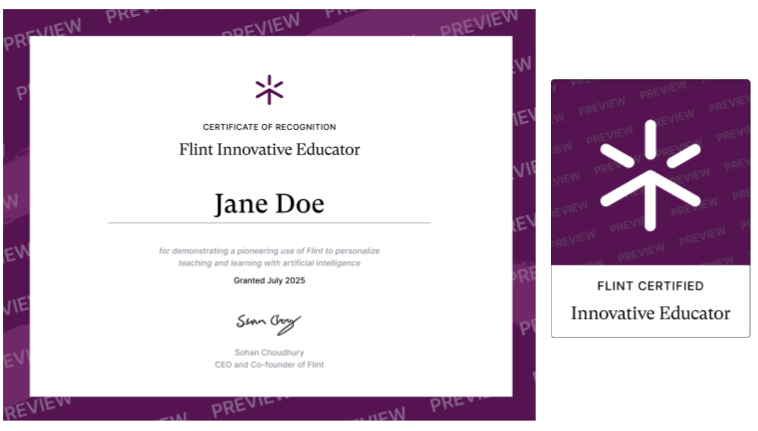
What it is
The Flint Innovative Educator (FIE) program, launched in Fall 2024, recognizes educators who are using Flint to transform their teaching practice.
One of Flint's founding principles is that AI should let educators offer radically personalized instruction to every student. The FIE program celebrates the teachers who are making that real, and shares their stories with educators who are just getting started.
How to apply
The application is short. Tell us the grade levels and subjects you teach, and write a testimonial of at least 100 words covering:
How have you used Flint to improve personalization in your classroom? How have your students used AI to learn more effectively? What can other educators learn from your experience as they bring AI into teaching and learning at their own schools?
The application is a Google Form, so you'll need to be signed in to a Google account to open it.
Within five business days of applying, the Flint team will let you know whether you've been selected. If you have, you'll receive a certificate you can add to your portfolio or LinkedIn profile, and a badge for your email signature.
Flint Educators of the Month
Every month, the Flint team selects up to three Educators of the Month.
To be eligible, let us share your testimonial on social media and our website — you can opt in or out in the application form. If you're not selected this month, you stay eligible in the months that follow.
Flint Educator of the Month comes with a special badge and a $100 Visa gift card.
You'll need to add a certifications section first. Go to your LinkedIn profile and click "Add profile section".
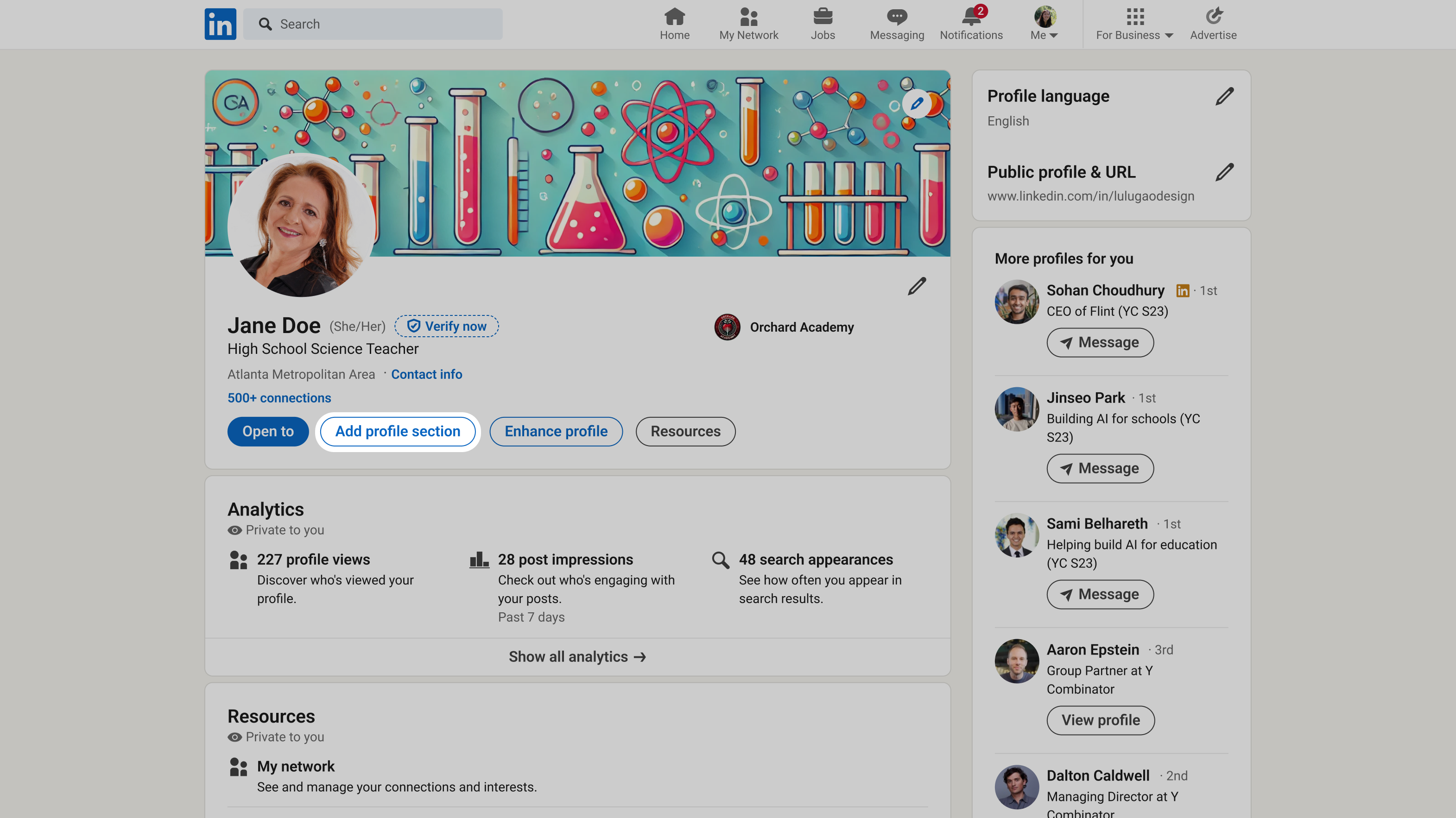
Under "Recommended" you'll see the option to add "Licenses and certifications".
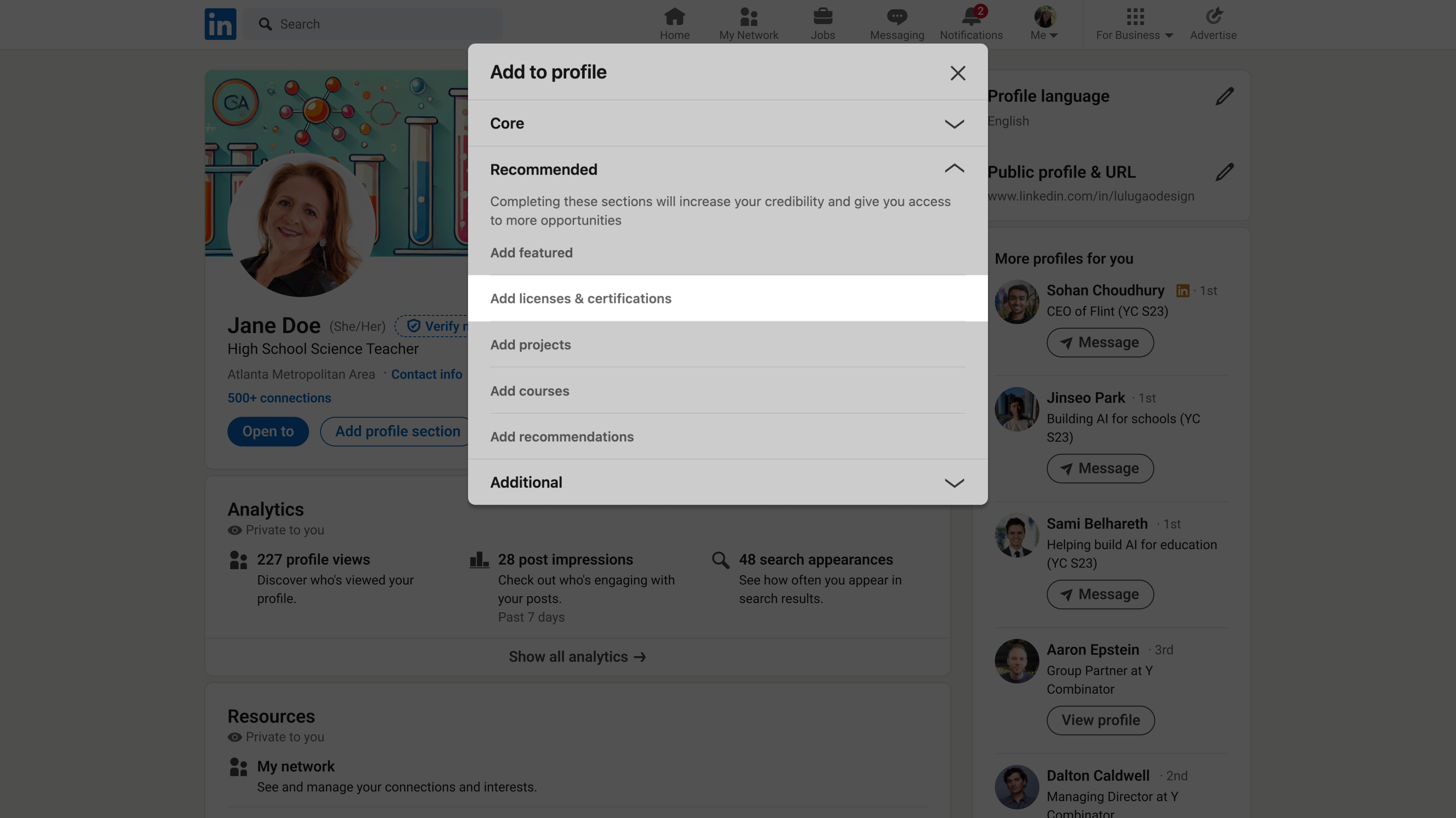
Scroll down your profile to "Licenses & certifications" and click the plus icon to add a new one.
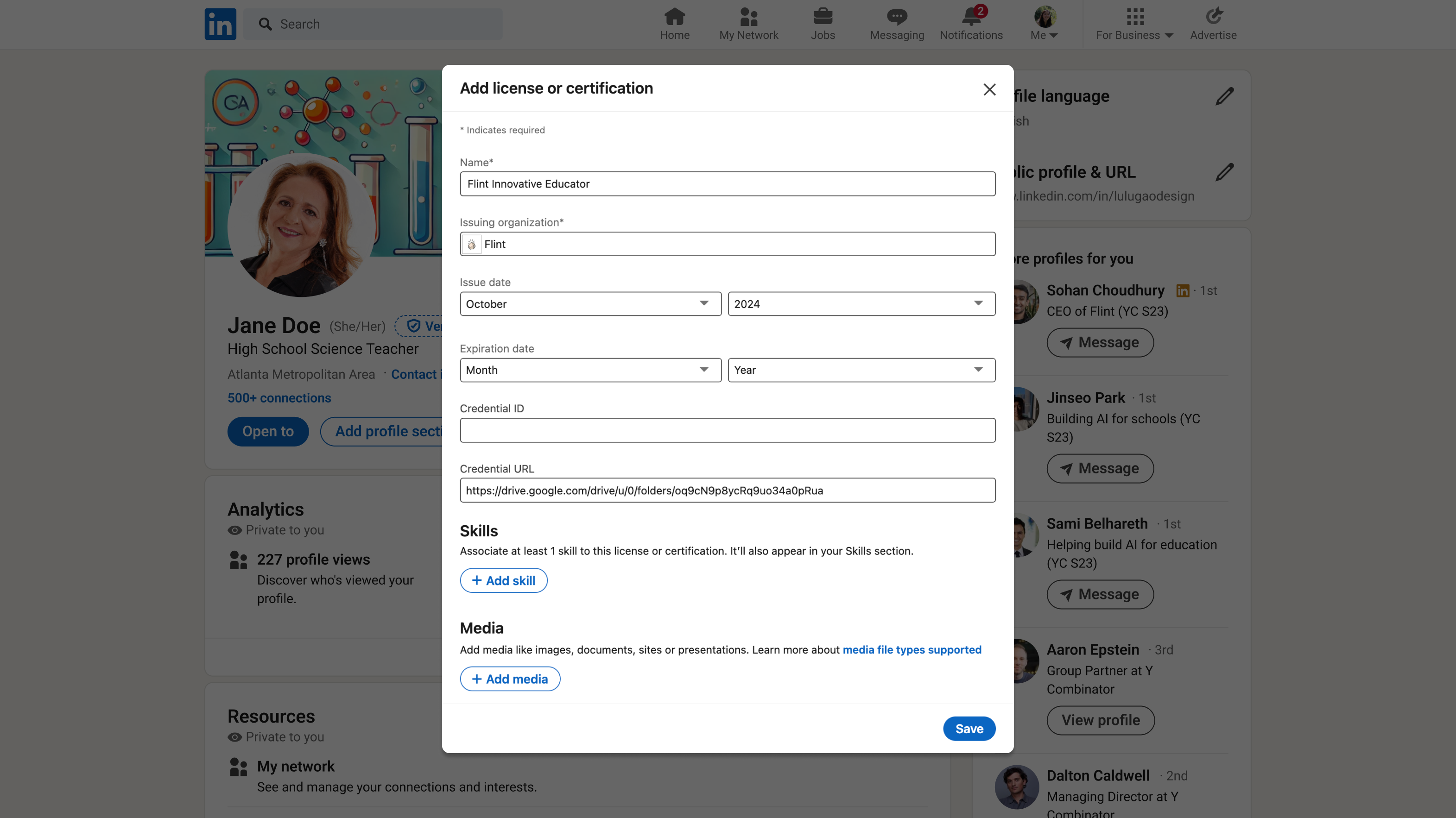
Fill out LinkedIn's form like this:
| Field | Value |
|---|---|
| Name* | Flint Innovative Educator |
| Issuing organization* | Flint |
| Issue date | The month and year you were accepted into the program |
| Credential URL | The link to your certificate, from your acceptance email |
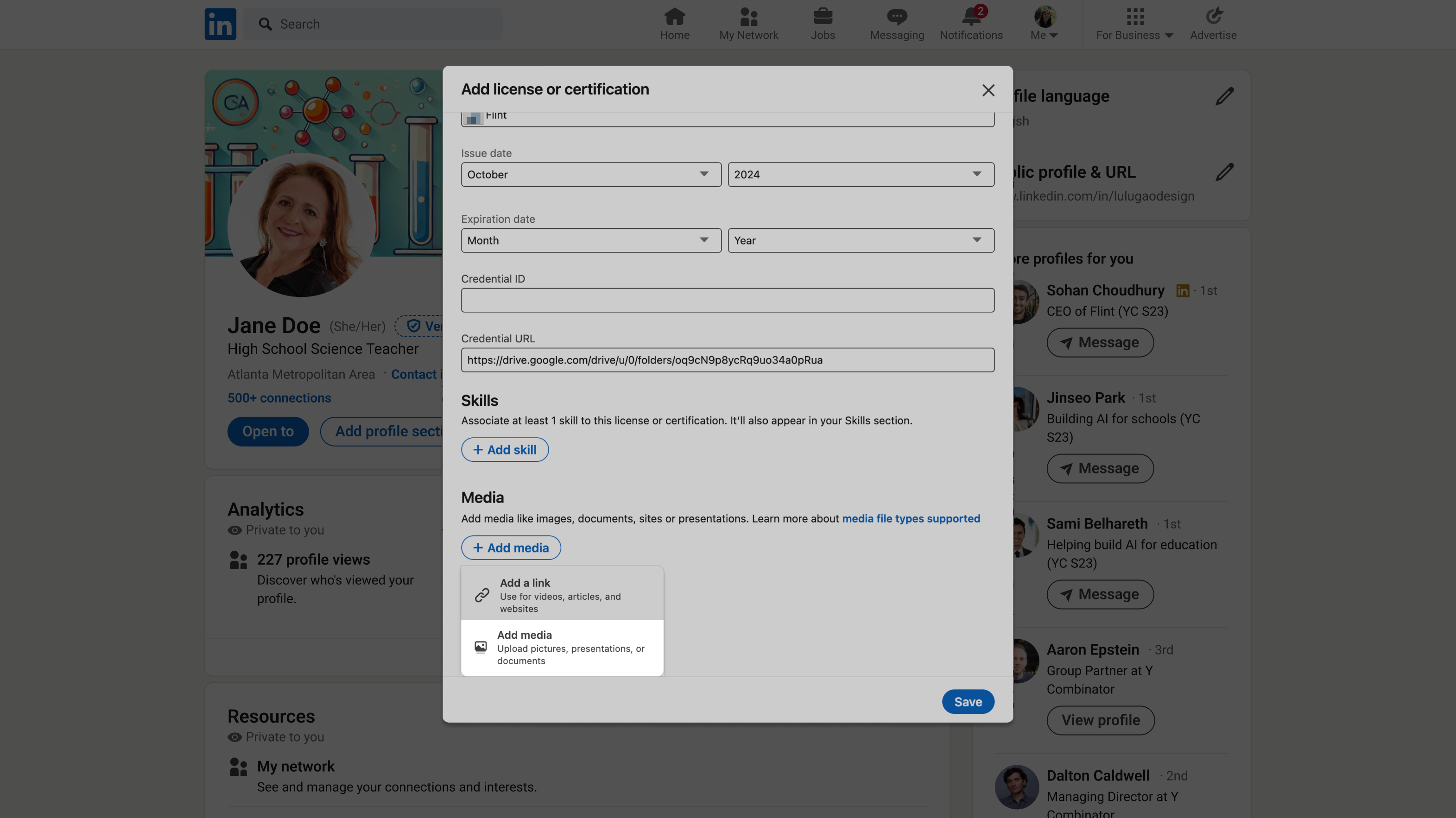
Add the certificate PDF as media
Under "Media", add the certificate PDF that came with your acceptance email. A description is optional.
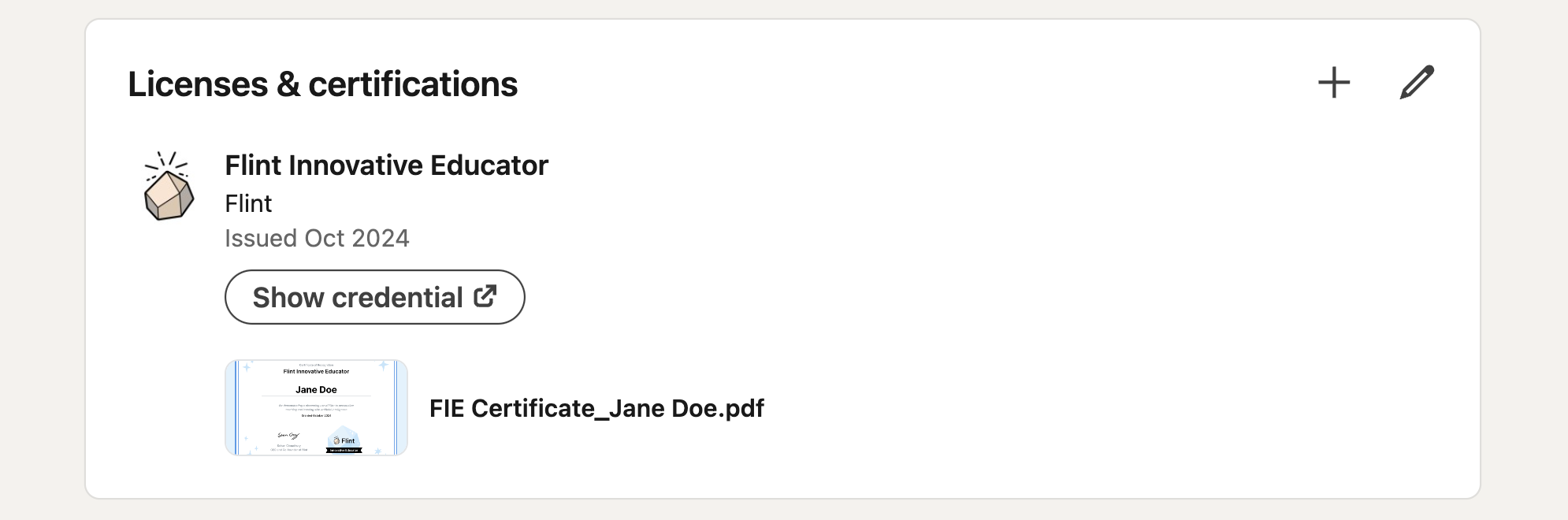
Click "Save" and you're done — your FIE certificate now shows on your LinkedIn profile. 🥳
Other Flint courses and recognition
- Flint 101: Course and Certification — the foundations course for teachers new to Flint.
- What is AI Literacy: Course and Certification — two levels of AI literacy certification.