

For a Lesson with Sparky, the Grade level setting — "Adjust the reading and difficulty level based on this grade" — gives Sparky instructions about difficulty and wording. Check the preview to see how Sparky applies them.
These steps require Can edit access. File Upload and Test or Quiz activities do not expose this selector in Activity behavior.
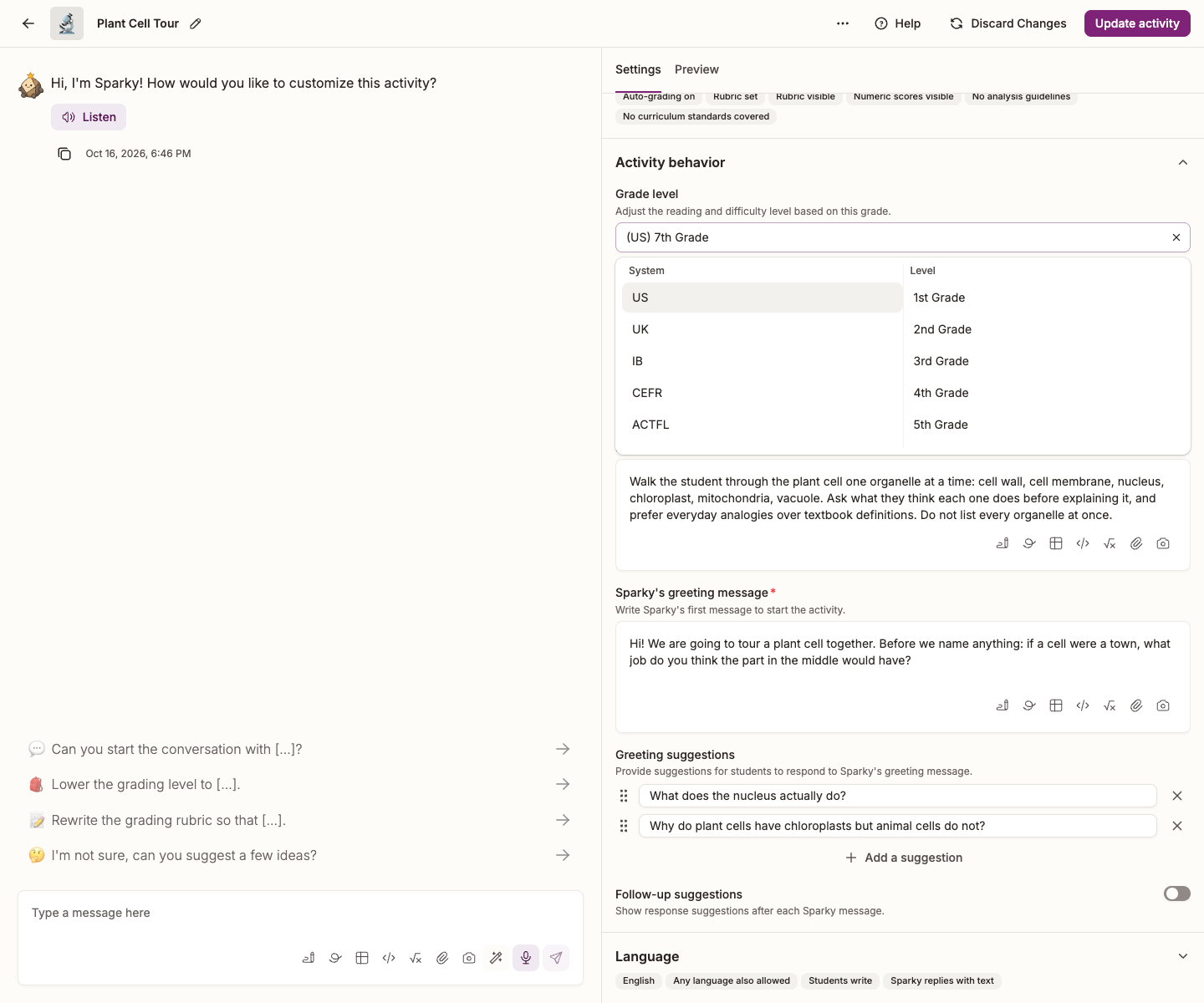
Set the grade level
- Open the activity and click Edit activity at the top of the page.
- In Settings, beside the conversation, expand Activity behavior. Grade level is the first setting in the section.
- Click the box. A two-column menu opens: pick a System on the left, then a Level on the right. Your choice appears in the box as the system and level together, for example "(US) 5th Grade".
- Click Update activity to save.
To clear the setting, click the ✕ at the end of the box. To use a level that is not on the list, type it into the box instead of picking one.
You can also request the change in the builder conversation. Tell Sparky who the activity is for — "this is for my Year 9 class" — review the proposed grade level, then click Update activity.
The levels you can choose
| System | Levels |
|---|---|
| US | 1st Grade through 12th Grade, then University |
| UK | Year 1 through Year 13, then University |
| IB | PYP Year 1–5, MYP Year 1–5, DP Year 1–2 |
| CEFR | A1, A2, B1, B2, C1, C2 |
| ACTFL | Novice, Intermediate, Advanced, Superior, Distinguished |
CEFR and ACTFL are there for world-language activities, where proficiency matters more than school year.
Related settings
- Response style, further down the Activity behavior section, controls how much detail Sparky puts into each reply — slide it towards Concise to keep students from facing a wall of text. See How to: Change Sparky's response style.
- Admins can tell Sparky how to treat each grade level across the whole school. Those prompts follow each student's account grade, independently of the activity setting, and do not affect teachers or admins. See How to customize grade-level prompts in Flint.