

Sparky's voice and Speaking rate sit in the activity builder's Language panel. They appear when Sparky's output includes speech, so set Sparky's communication to something other than Writing only first — see How to enable speech-to-text and text-to-speech.
These settings apply to Lesson with Sparky activities you can edit. Test or Quiz and File Upload do not have a Language panel. If Edit activity is missing, ask an activity owner to make the change.
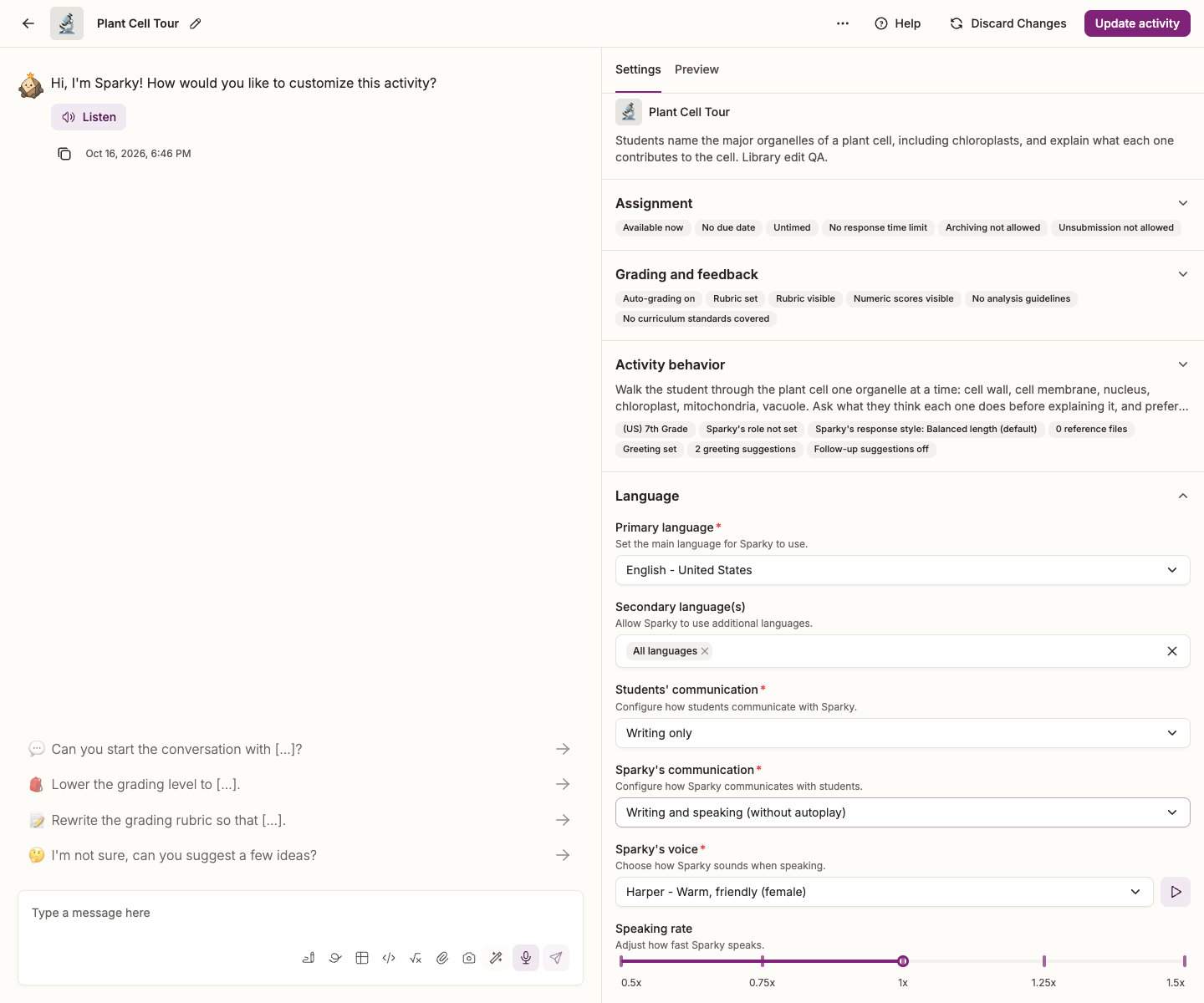
Choose a voice and a speed
- Open the activity and click Edit activity at the top of the page.
- In Settings, beside the conversation, expand Language.
- Pick a voice under Sparky's voice. Press the play button beside the dropdown to hear it — Sparky reads a sample line in the activity's primary language.
- Drag the Speaking rate slider.
- Click Update activity to save.
You can also ask in the builder conversation: "use a deeper voice" or "have Sparky speak a little slower". Sparky picks a voice or a rate and shows you what it changed; click Update activity to save.
The voices
| Voice | Sounds like |
|---|---|
| Harper | Warm, friendly (female) |
| Ellis | Calm, composed (female) |
| Reid | Clear, direct (male) |
| Avery | Neutral, balanced (female) |
| Miles | Smooth, resonant (male) |
| Kit | Expressive, storytelling (female) |
| Jules | Bright, energetic (female) |
| Blake | Deep, authoritative (male) |
| Robin | Light, gentle (female) |
Speaking rate
The slider runs from 0.5x to 1.5x and is marked at 0.5x, 0.75x, 1x, 1.25x and 1.5x, though it moves in smaller steps than that — 0.875x sits between 0.75x and 1x. 1x is the default and is roughly the pace of ordinary conversation.
Slowing Sparky down helps beginners in a world-language activity and younger students who are still building listening stamina. For a vague request such as "speak slower", Sparky chooses a supported rate. For an exact rate, use the slider or ask for a supported value such as 0.75x. Both use 0.125x steps.