

If your Microsoft tenant requires administrator approval before teachers and students can import OneDrive files into Flint, an IT administrator must grant that approval. Use a Microsoft account authorized to grant tenant-wide consent; see Microsoft's role requirements. The administrator account also needs a working OneDrive for the return to Flint to complete.
If you are not an IT administrator and OneDrive isn't connecting for you, this is the page to send them.
Grant Flint access
-
Sign in to Flint at app.flintk12.com in the browser you are about to use. The last step brings you back to Flint, and that only works while you are signed in.
-
Find your tenant ID in the Microsoft Entra admin center and copy it.
-
Put your tenant ID in place of
<tenant-id>in this address:https://login.microsoftonline.com/<tenant-id>/oauth2/v2.0/authorize?client_id=a72960c6-9cc4-4c3a-b432-603828892f33&response_type=code&redirect_uri=https://app.flintk12.com/api/onedrive/school/auth/callback&response_mode=query&scope=.default+offline_access&prompt=consent&state=?redirectTo%3D%2F -
Open that address in a new tab and sign in with your Microsoft administrator account.
-
On Microsoft's Permissions requested screen, confirm the application and publisher, and review the requested permissions against your school's policy. To approve access for the organization, tick Consent on behalf of your organization. Without it, the approval covers only your own account rather than everyone at the school.
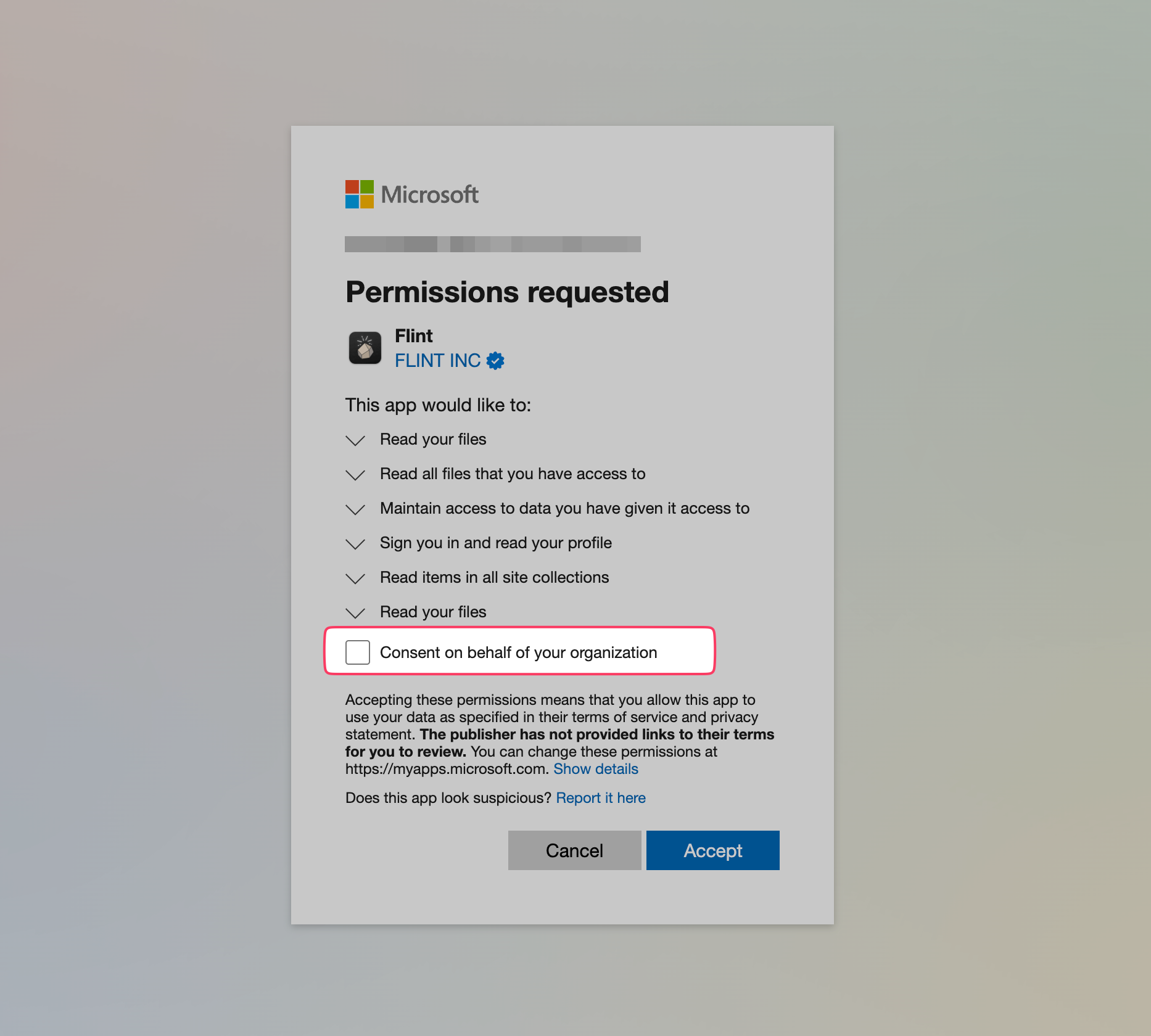
This is an older example of Microsoft's consent screen. Review the permissions shown in your own browser; they may differ from the screenshot.
-
Click Accept. Microsoft sends you back to Flint.
If your school signs in to Flint at an address other than app.flintk12.com, ask Flint for the correct consent URL for that deployment rather than changing the redirect_uri yourself.
If Microsoft accepts the consent but the return to Flint fails, have IT check the tenant approval separately and confirm that the administrator account's OneDrive is available. A failed return does not by itself establish that consent was rejected.
Check that it worked
In Flint, click the paperclip in the message box, choose Import from Microsoft OneDrive, and pick School account. If the file picker opens and shows files available to your account, your individual connection is in place. Each teacher and student still needs to connect their own Microsoft school account on first import; tenant approval does not connect their accounts automatically. Ask a teacher to test an import after approval. See uploading content from OneDrive.
Under your profile settings, the Connected apps tab has a Microsoft OneDrive (School) row with Connect or Disconnect, depending on your account's connection. Disconnect removes your individual Flint connection, not the organization's Microsoft consent.