Sorry you've hit a snag. Work through the section that matches what you're seeing — most of these clear up in a minute or two.
- Is it just you?
- Why you may see a page-not-found error
- Your school limits when or where students can use Flint
- Unexpected errors
- File upload errors
- Lost or missing work
- Speech-to-text errors
- How to contact us
Is it just you?
Before you start changing settings, check whether anyone else has the same problem. Ask a colleague in the same school to open the same link, or try it on another device or network. If it's broken for everyone, it's ours to fix and the steps below won't help — skip to the last section and tell us.
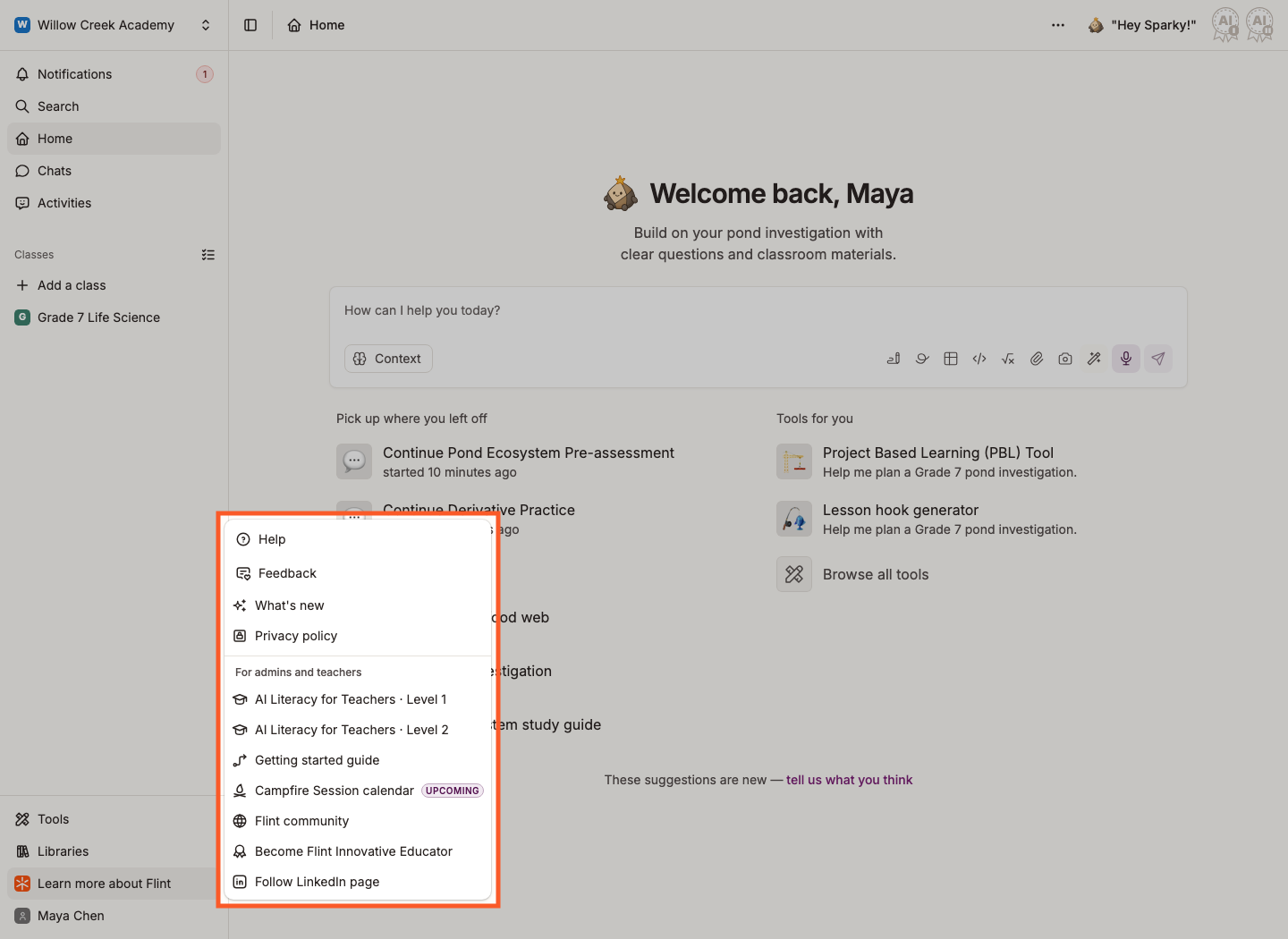
For a widespread problem, use Learn more about Flint › Help to contact support. If you cannot sign in or open the messenger, email support@flintk12.com. See How to get live help in Flint.
Why you may see a page-not-found error
For what you can upload and where, see Uploading content to Flint.
The most common cause. If a class, activity or session is Private and you weren't added to it, the link won't open for you.
Ask the person who sent the link to add you, or to change the item's Access permissions to Anyone with the link. See Access permissions in Flint.
A single missing character breaks a link. Check that you copied the whole thing — links are easy to truncate when they wrap onto a second line in an email or chat message.
Check the address at the start too. If your school's address is a-b.flintk12.com, then ab.flintk12.com won't work.
Browsers remember a page-not-found response for a while, so a link can keep failing after the access problem behind it has been fixed. Clear your cache, or open the link in a private or incognito window.
If a different browser opens the link, the first browser was holding old data. Flint works in current versions of Chrome, Edge, Safari and Firefox — the important thing is that the browser is up to date.
Your school limits when or where students can use Flint
A school can let students use Flint only during set hours, or only from the school's network. Outside those limits, a student sees one of the screens below instead of Flint, with a Sign out button. Only students see these screens; teachers and admins are not blocked. Nothing is wrong with the student's account or device, and their classes, activities and sessions are not deleted.
Your school has set the hours when students can use Flint. The screen names those hours, for example "Flint is only available to help you Monday to Friday, 8
AM to 5 PM. Come back then to learn with Sparky." When Flint can't show one set of hours, the screen says "Flint isn't available to help you right now. Come back during your access hours to learn with Sparky." instead.What to do:
- Open Flint again during those hours. The hours follow your school's time zone, not your device's.
- If the hours look wrong, ask your teacher or school admin. Your school sets the hours, not Flint.
If you're an admin, Limiting school access hours shows how to set or change the hours.
The full message is "Hey, I'd be happy to help, but I'm currently available only at school. Let's connect soon!" Your school lets students use Flint only from the school's network, and the connection you're on isn't one the school allowed.
What to do:
- Connect to your school's Wi-Fi or network and open Flint again.
- If you see this message at school, tell your teacher or school admin. Your school's network may be missing from the list your school set in Flint.
If you're an admin, Restricting Flint usage to school grounds shows how to manage the allowed networks.
Unexpected errors
The most common cause of an unexpected error, particularly on iPad, is an out-of-date browser. Update Safari or Chrome to the latest version and try again.
A page saying We'll be back soon — "Flint is briefly offline for scheduled maintenance while we make things better behind the scenes" — means we're mid-maintenance. If the work was scheduled, the page also tells you when we expect to be back.
What to do:
- Wait and refresh. The page refreshes itself every minute, so you can leave it open.
- Don't switch browsers or clear your cache. Nothing on your device is wrong.
- If it's still there long after the time shown, let us know.
Sparky runs on AI models hosted by outside providers. If one of them has an outage, Sparky can stop replying — or reply with an error — while the rest of Flint works normally.
Sparky keeps writing its reply in a chat or session even if your connection drops or you reload the page. When you open the chat again, Flint shows Getting the reply Sparky already started while it fetches that reply.
What to do:
- Wait for the reply. You don't need to send your message again.
- If Sparky shows an error, click Try again below Sparky's reply. Send your message again only if no reply comes back.
- Start a new chat or session. A single conversation can get stuck when the rest are fine.
- If it keeps happening for more than a few minutes, tell us — say which activity or chat, and roughly when.
File upload errors
Large files take a while. Flint shows Reading attachment..., and then Still reading... Large attachments can take longer to process. when it's taking longer than usual.
You don't have to wait — send your message, and Sparky picks the file up once it has finished reading it. If it's been several minutes, remove the file and add it again, or split a long PDF into a few smaller ones.
The message on the file card says what went wrong. The two usual causes:
- The file is too big. For chat and activity-builder attachments, Trial and Paid plans allow roughly three times as much extracted text per file as Free. File-upload submissions, curriculum files and school-policy uploads use a separate limit that does not depend on plan. Follow the file's displayed error; split an oversized file and upload the parts.
- The format isn't supported. Flint reads:
- Documents: PDF, DOC, DOCX, PPT, PPTX
- Spreadsheets: CSV, XLS, XLSX, XLTX, PPSX
- Images: JPG, JPEG, PNG, GIF, WEBP, HEIC, HEIF
- Audio and video: MP3, MP4, MPEG, MPGA, M4A, WAV, WEBM
- Other documents: ODT, RTF, Pages, Key, Numbers, PUB, EPS, PSD, TIF, TIFF, AI and more
- Code and text: TXT, SVG and all common programming-language files
If the format is on that list and it still fails, remove the file and re-save it in another format — a PDF exported again from the original app usually works.
Lost or missing work
Check the view for your activity type, then the school, term and save state:
- For lesson sessions, look in the archive. On the activity page, open the filter above the session list and choose Archived sessions. For your own work, go to My profile › Sessions and switch the filter to My archived sessions.
- For Test or Quiz and File Upload work, check the activity's Submissions table. These tables do not have the lesson-session archive filter. If you cannot review the table or your submission is missing, ask your teacher or contact support.
- Check which term and school you're in. Work from a previous term, or from a different school, doesn't show in the current view. Click the school name in the top-left corner of the sidebar to switch Terms or Schools.
- Check whether the work finished saving. If the browser closed while files were still uploading, that upload may not have been saved. Before you close a tab, check that your attachments have finished reading.
Speech-to-text errors
Trouble recording a spoken response is almost always microphone permissions, in the browser or in your device settings.
Before you start, make sure speech is turned on for the activity. Speech-to-text follows the activity's language, so check the activity's Primary language is the one you're speaking — see What languages does Flint support.
The first time you use the microphone, your browser asks whether app.flintk12.com can use it. Choose to allow it every time you visit, not just once.
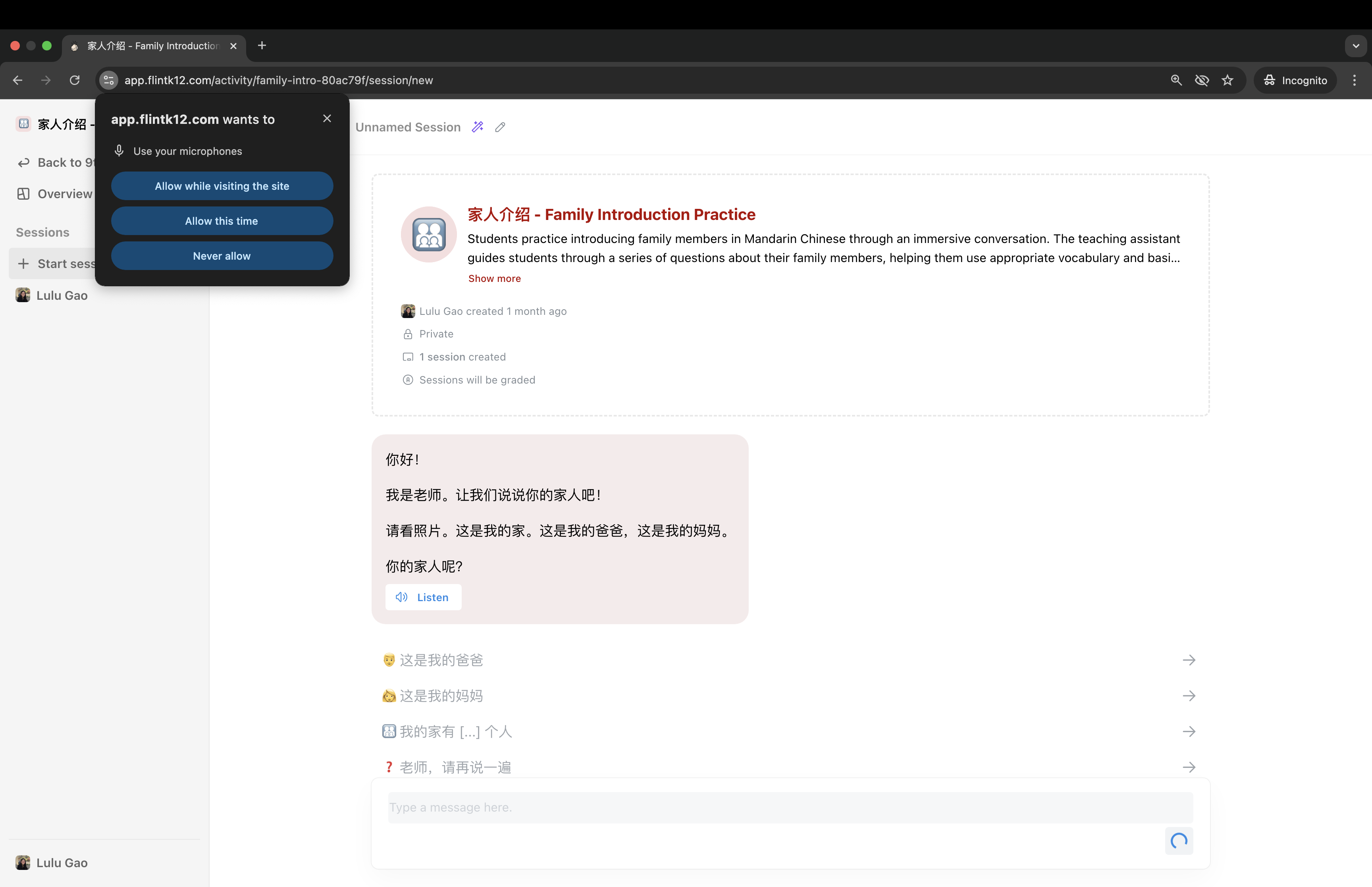
If the prompt never appears, you may have blocked it before. Open your browser's site settings for Flint and switch the microphone back on.
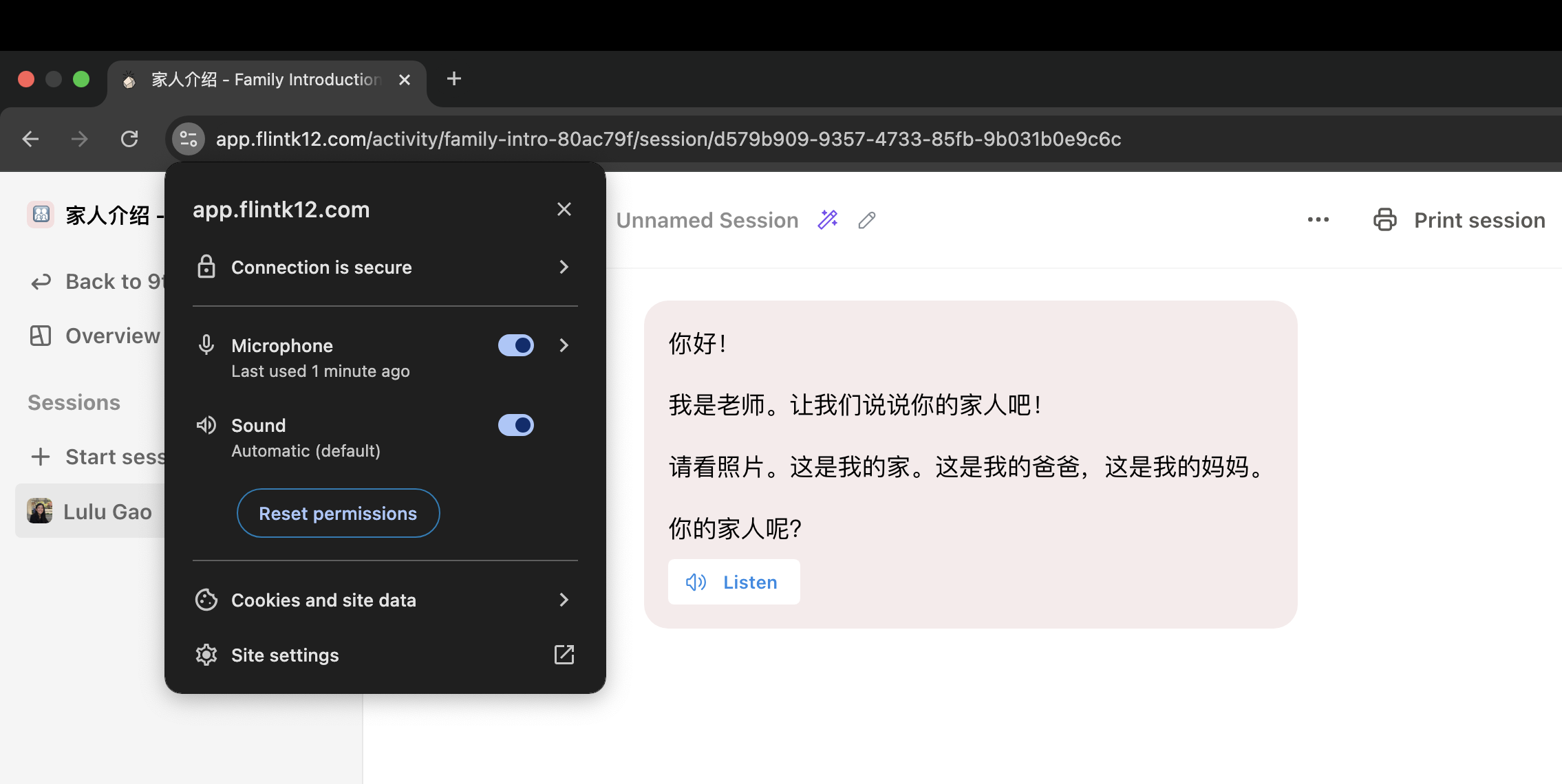
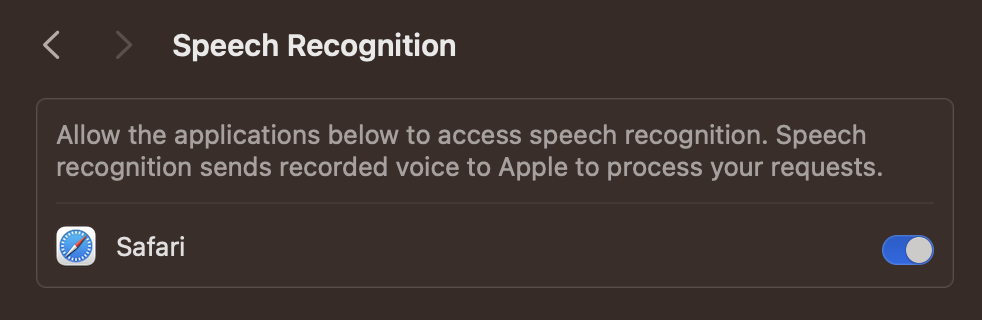
Allow microphone access in your browser and device settings. Safari's Speech Recognition permission affects the live transcript, not microphone access itself. If Safari denies speech recognition, Flint can still record audio for transcription when microphone access is allowed.
The macOS screenshots below show Privacy & Security › Speech Recognition. These are Mac examples, not iPad settings instructions.
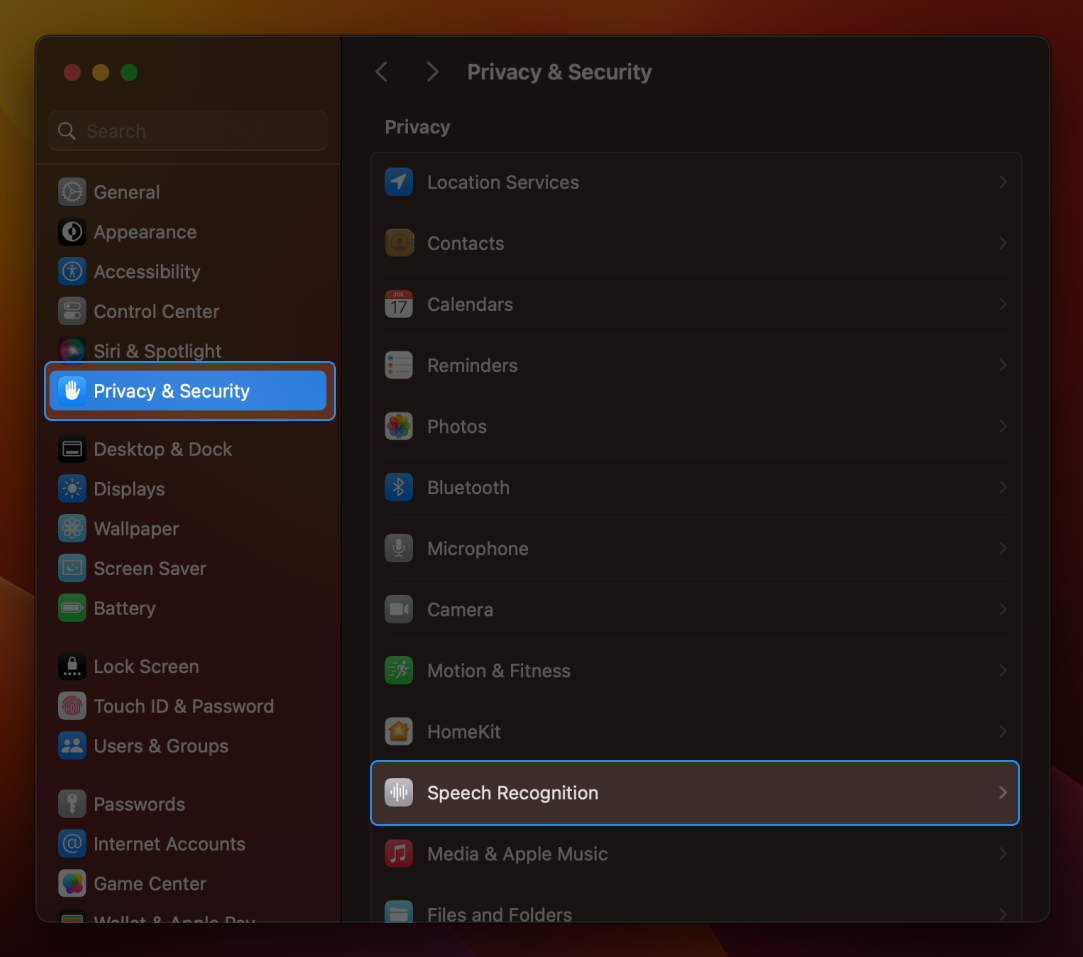
On a Mac, enable Safari in that list to allow live speech recognition.
Other things that trip people up
Still having problems? Chat with us.
Click Learn more about Flint at the bottom of the left sidebar, then Help. Click Ask a question and tell Sparky what happened. If Sparky can't fix it, ask for a person and Sparky hands the conversation to our team. See How to get live help in Flint for what to expect.